Card Sorting Template: Script, Sample Size and Analysis
Your menu only makes sense to you because you built it. Let people group things their own way, and build what they already expect.
Share
A card sorting template is a ready-made plan for a test where people group a set of tasks or words on cards and name each group, which shows you how they already think about the subject. It gives you the cards to write, a read-aloud script, what to measure and a results log. Use it before you name or organise a menu, settings page or pricing table.
Key takeaways
Card sorting is generative: it shows how people would organise things, not whether they can find them in your design (Nielsen Norman Group, 2023).
Use 20 to 40 plain-word cards. NN/g suggests 30 to 50 to avoid fatigue, and warns that past 50 a big "Miscellaneous" pile appears (NN/g, 2024).
Eight people are enough to hear their words and spot a clear pattern. For a stable statistical picture, Nielsen recommends 15 (NN/g, 2004).
In Tullis and Wood's study of 168 people, results from 5 users correlated 0.75 with the full set, and from 15 users, 0.90.
Set the pass signal first: at least 5 of 8 people create the same core groups.
What is card sorting?
Card sorting is a test where people group a set of tasks or words on cards and name each group, which shows you how they already think about the subject.
Donna Spencer and Todd Warfel called it "a user-centered design method for increasing a system's findability" in their 2004 guide (Boxes and Arrows).
In David J. Bland and Alex Osterwalder's Testing Business Ideas, card sorting is a discovery experiment for preference and prioritisation, next to Buy a Feature and the Product Box. Strategyzer rates it 2 out of 5 for cost and evidence strength, and 1 out of 5 for run time (Strategyzer experiment library).
What is the difference between open, closed and hybrid card sorting?
NN/g recommends open sorting and generally advises against hybrid. This template is an open sort, run one person at a time, out loud.
When should you use card sorting, and when not?
Use it when you are deciding how to name or organise something: a menu, a settings page, a pricing table, a set of features. It is also useful when you want to learn which words customers use for your problem.
Do not use it to find out what people want or whether they will pay. Everyone can sort cards about a product they will never use. Spencer and Warfel are blunt that it is not an evaluation technique: it will not tell you what is wrong with your current design. And once you have a structure, check it with real people finding things in a clickable prototype, since sorting and finding are different skills.
Which risk does it test, and how strong is the evidence?
This tests desirability in a narrow sense: does your way of organising things match how customers think? The evidence is behaviour, because you watch what people do with the cards instead of asking for an opinion. But the behaviour is sorting, not buying. See how the levels compare in our guide to choosing a product experiment.
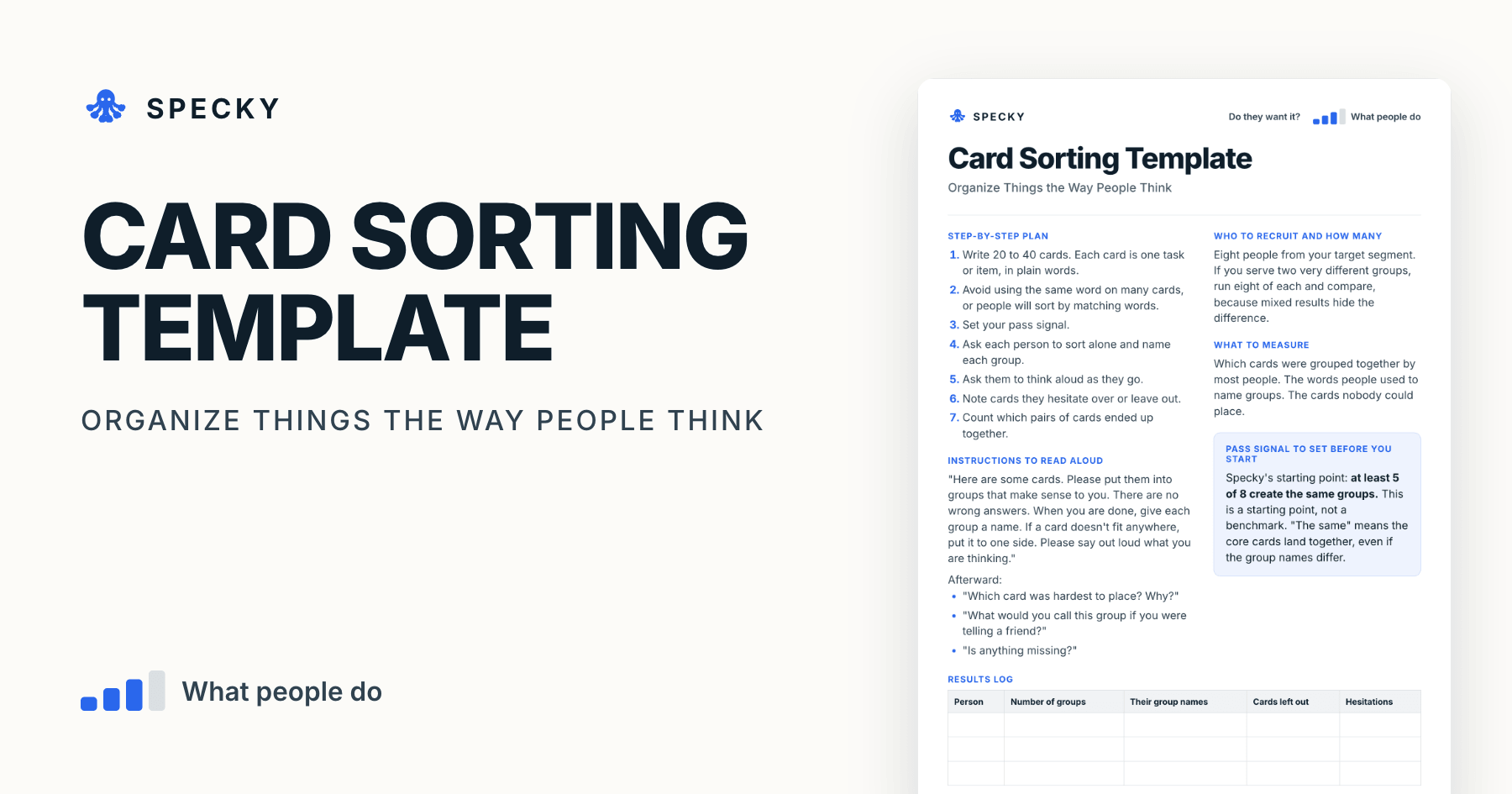
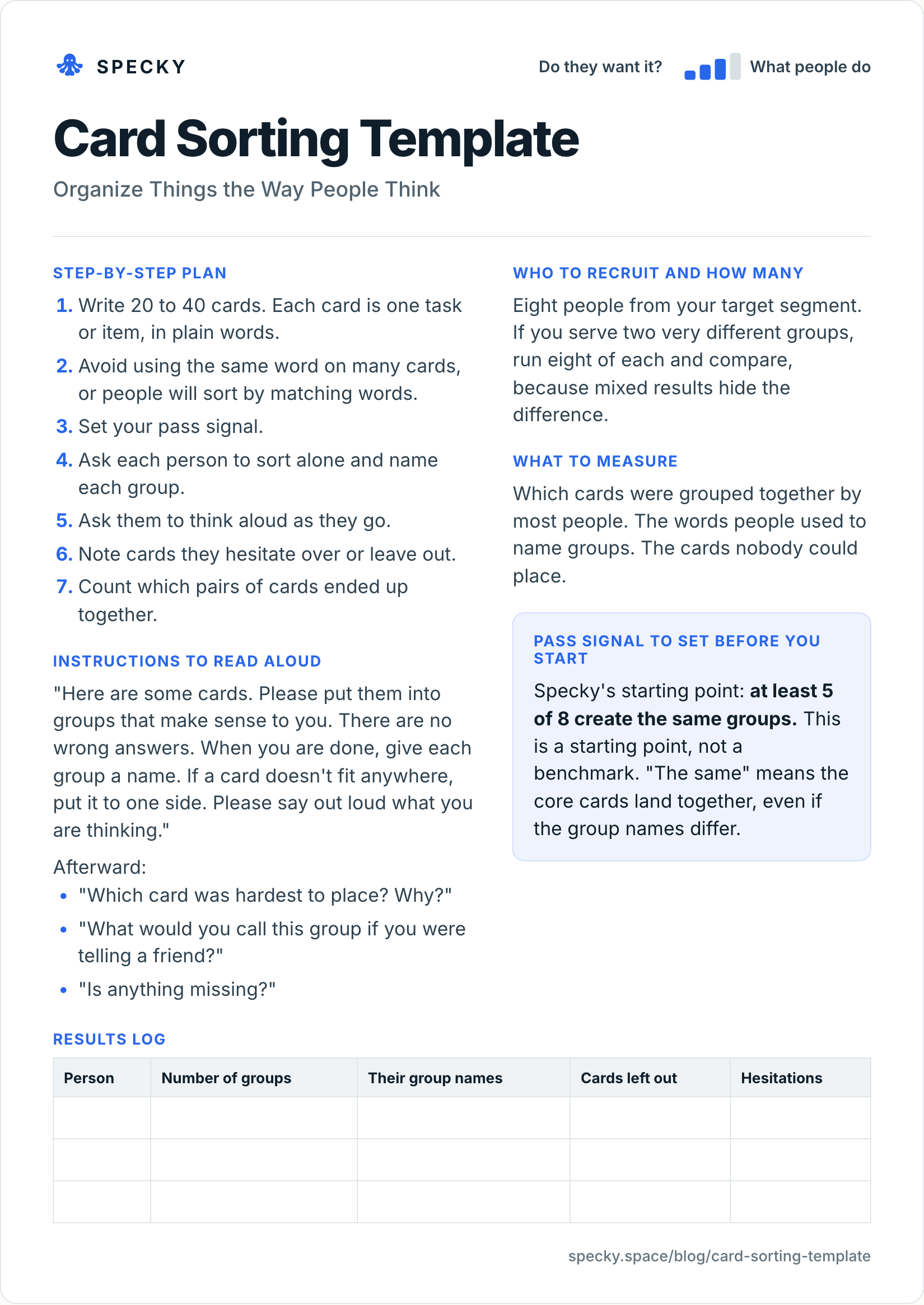
Card sorting template (copy and use)
Open the image at full size, or copy the text version below.
Who to recruit and how many
Eight people from your target segment. If you serve two very different groups, run eight of each and compare, because mixed results hide the difference.
Step-by-step plan
Write 20 to 40 cards. Each card is one task or item, in plain words.
Avoid using the same word on many cards, or people will sort by matching words.
Set your pass signal.
Ask each person to sort alone and name each group.
Ask them to think aloud as they go.
Note cards they hesitate over or leave out.
Count which pairs of cards ended up together.
Instructions to read aloud
"Here are some cards. Please put them into groups that make sense to you. There are no wrong answers. When you are done, give each group a name. If a card doesn't fit anywhere, put it to one side. Please say out loud what you are thinking."
Afterwards:
"Which card was hardest to place? Why?"
"What would you call this group if you were telling a friend?"
"Is anything missing?"
What to measure
Which cards were grouped together by most people. The words people used to name groups. The cards nobody could place.
Pass signal to set before you start
Specky's starting point: at least 5 of 8 create the same groups. This is a starting point, not a benchmark. "The same" means the core cards land together, even if the group names differ.
Results log
Person
Number of groups
Their group names
Cards left out
Hesitations
How do you write good cards for a card sort?
The cards decide the result. Three rules:
Write tasks or items in the customer's words. "Change the logo on my invoices", not "Branding settings". Your internal labels only test whether people can read them.
Vary the wording. NN/g's example is a car-rental site with several Toyota models: with the brand name on every card, people group by "Toyota" and you learn nothing about size or seats. If five cards say "report", they will land together for no good reason.
Keep the set small enough to finish. NN/g suggests 30 to 50 cards; Spencer and Warfel found 30 to 100 workable in 2004. For a think-aloud sort with one person, 20 to 40 is kinder. Pilot it with one colleague to catch unclear labels.
How many participants do you need for card sorting?
More than for a usability test, because you are mapping how people think rather than spotting where a design breaks. Nielsen's 2004 article draws on a study by Tom Tullis and Larry Wood of Fidelity Investments, who ran 168 people through a card sort and then checked how closely smaller random subsets matched the full result (NN/g, 2004):
Participants
Correlation with the full 168-person result
5
0.75
15
0.90
20
about 0.93 (Nielsen's estimate)
30
0.95
60
0.98
Nielsen recommends 15 per user group, against 5 for a qualitative usability test (NN/g, 2012), and says doubling to 30 is usually not worth twice the money. NN/g's 2024 guide asks for 30 to 50 in quantitative, unmoderated studies.
So why does the template say eight? It is a moderated, think-aloud round to hear people's words and spot a clear pattern, and Spencer and Warfel advised seven to ten people when sorting individually. Treat it as a first round:
If 5 or more of 8 agree on the core groups, the pattern is strong enough to prototype.
If the eight split, do not average them. Add seven more people, ideally with an unmoderated tool, to reach 15.
If the decision is expensive, such as a full site navigation, go to 15 from the start.
How do you analyse card sorting results?
Count pairs. For every two cards, note how many people put them in the same group. Tools draw this as a similarity matrix or a dendrogram; on paper, a spreadsheet works.
Worked example: reading a similarity matrix
This example is illustrative. With 30 cards there are 30 × 29 ÷ 2 = 435 possible pairs, so focus on the strong and surprising ones. With eight people, a few pairs might read:
Card pair
Together
Share
What it tells you
"Change invoice logo" + "Choose invoice colours"
7 of 8
88%
One group, no question
"Add a tax number" + "Change invoice logo"
5 of 8
63%
Tax number belongs with invoices
"Add a tax number" + "Update card details"
2 of 8
25%
Not with billing
"Export to accounting" + anything
3 of 8 at most
38%
No home yet; rewrite or test again
A simple rule: pairs together for 5 or more of 8 people (63%) are your core groups. Pairs at 3 or 4 of 8 are open questions. Cards that never pass 3 of 8 with anything need rewording or a new home.
Then read the group names. If people named the invoice group "my invoices", "invoice stuff" and "how my invoices look", the label should say "Invoices", not "Preferences".
Card sorting vs tree testing vs clickable prototype test
This example is made up to show the method. A team building an invoicing tool is redesigning its settings, split into "Account," "Billing," and "Preferences." They write 30 cards, such as "add a tax number" and "change invoice logo."
Eight freelancers sort them. Six build a group about how invoices look and what is on them, naming it things like "my invoices" or "invoice stuff." Five put the tax number with the logo, not with billing. Nobody uses the word "Preferences."
Their pass signal is met: most people made the same core group. The team renames its settings around invoices first, then runs a test to check that people can find things in the new structure.
What are the most common card sorting mistakes?
Using your internal words on the cards. You will only learn that people can read your labels.
Word matching. If five cards say "report," they will land together for no good reason.
Too many cards. Past about 40 people get tired and start dumping.
Mixing very different users. The average of two groups matches neither.
Assuming sorted means findable. Test the final structure separately.
When it doesn't work: for complex or specialist content where people lack a mental model yet, for large sites with very mixed content, and for anything about demand. Spencer and Warfel also warn that people sometimes sort by surface features, such as document type, rather than meaning.
Is card sorting ethical to run?
It is one of the gentlest methods: nothing shown is fake, and nobody is asked to commit to anything. Two habits still matter. Tell people what you record and keep, and get a yes before recording audio or video. And if an AI runs the conversation, say so at the start.
How to run it in Specky
On the Assumptions page, click the note and choose Pick a test, then Card sorting. Specky fills in eight people, the pass signal, and a three-day timeline.
Click Open in Vouch. Vouch, at vouch.specky.space, runs this as an AI interview: it talks a person through the items and asks how they would group and name them. It is a conversation, not a drag-and-drop board. If you need a true visual sort, use a card tool or paper, then paste the groups in.
Click Start running, then record what people grouped and the result.
A pass shows on the board as Supported, because sorting is rated as behavior. Keep in mind what it supports: how people organize these things, not whether they want them.
What should you do with each outcome?
Supported: Build the structure into a clickable prototype and test that people can find things.
Unclear: Groups partly matched. Look at the cards everyone hesitated over. Rewrite those and sort again.
Contradicted: People's groups look nothing like yours. Use their structure and their words. Any bet resting on your original structure now shows as Contradicted.
Once the new structure is live, a usability test checks it on the real product.
Frequently asked questions
What is card sorting used for?
Card sorting is used to design menus, settings and categories that match how customers think. People group items on cards and name each group, and you build the structure from their patterns and words. Run it before you design a structure, then test whether people can find things in it.
How many people do you need for a card sort?
Start with about eight people from one target group for a moderated, think-aloud sort, and sort distinct customer types separately. For a stable result, Nielsen recommends 15 per group: in Tullis and Wood's study, 15 people correlated 0.90 with the results of 168.
What is the difference between open and closed card sorting?
In an open card sort, people create and name their own groups. In a closed card sort, you give them the group names and they place the cards. Use open sorting first to learn their language. Use closed sorting to check where new items fit an existing structure.
How many cards should a card sort have?
Between 20 and 40 cards for a one-person, think-aloud session. NN/g suggests 30 to 50 cards to prevent fatigue, and warns that more than 50 tends to produce a large "Miscellaneous" pile. Each card names one task or item, in plain words.
What is the difference between card sorting and tree testing?
Card sorting is generative: people create groups, so you learn how they would organise things. Tree testing is evaluative: people try to find items in a text-only version of your menu. Run a card sort to draft the structure, then a tree test or clickable prototype to check it.