404 Test Template: A Three-Day Check for Product Curiosity
One link and three days. The cheapest possible check on whether an idea makes anyone curious, and how to read the click without fooling yourself.
Share
A 404 test adds a link for something that does not exist to a page that already gets steady traffic, then counts how many people follow it to a simple "not ready yet" page. It takes minutes to set up and about three days to read, which makes it the cheapest way to learn whether an idea makes anyone curious before you describe it in full.
Key takeaways
The 404 test is one of seven "interest discovery" experiments in David J. Bland and Alex Osterwalder's Testing Business Ideas. Strategyzer's library rates it 1 out of 5 for cost, setup time and run time, and 3 out of 5 for evidence strength (Strategyzer).
The name comes from the original version: the link led to a missing page, and you counted the 404 errors (UPV course). Send people to a friendly page instead.
Link position decides the result. In NN/g eyetracking, people spent 57% of their viewing time above the fold (NN/g, 2018). Compare ideas only in the same spot.
At a 2% click-through rate, 500 page views give a plausible range of about 1.1% to 3.6%. Plan for several hundred views at least, and 1,000 if the call is close.
This template's starting pass signal is 2% of visitors clicking through. A pass is an early signal, not proof of demand.
What is a 404 test?
A 404 test puts one short link, named after an idea you have not built, on a page your target audience already visits. You count the clicks over a few days. The visitor sees a plain label and nothing else, so a click means "that caught my eye", not "I want to buy it".
The method comes from the experiment library in Testing Business Ideas, which holds 44 experiment types sorted into discovery and validation (Strategyzer). The 404 test sits in the discovery half, under "interest discovery", next to the online ad, link tracking, the feature stub, the email campaign, the social media campaign and the referral program (Strategyzer poster).
In the textbook version, the link points to a page that does not exist, so every click produces a "404 Not Found" error in your server logs. A university course built on the book sums it up: count the 404 errors to see if a feature is desirable (UPV course slides).
We recommend against the literal version. A raw error page looks like a broken site. Jakob Nielsen argued back in 1998 that the default 404 message breaks the basic rules for error messages, and that a good one should open with a simple, slightly apologetic statement (NN/g, 1998). A friendly "not ready yet" page counts the same clicks and keeps trust.
Which risk does it test, and how strong is the evidence?
This tests desirability at its most basic: does this topic catch anyone's eye? The evidence is directional. A click is real, but it was cheap, and the person knew very little when they clicked. Strategyzer's 3-out-of-5 evidence rating reflects the same limit. Our guide to choosing a product experiment treats this as a first filter.
When should you use a 404 test, and when not?
Use it when you want the cheapest possible read on curiosity and you have a page with steady visitors from the right group. A quick web traffic analysis will show you which page that is. It is good for choosing between several ideas: give each a link in the same spot and see which draws the most clicks.
Do not use it when:
You have little traffic. At 50 views a day, three days give you 150 views and two or three clicks, which is noise. Try a search trend analysis to see if anyone is looking.
It would be your only evidence. A person following a link has seen only a few words.
You need a real step. A fake door describes an offer and asks for an email, which is stronger.
You would point it at a real error page. Despite the name, do not. It looks like a broken site.
Copy-and-use 404 test template
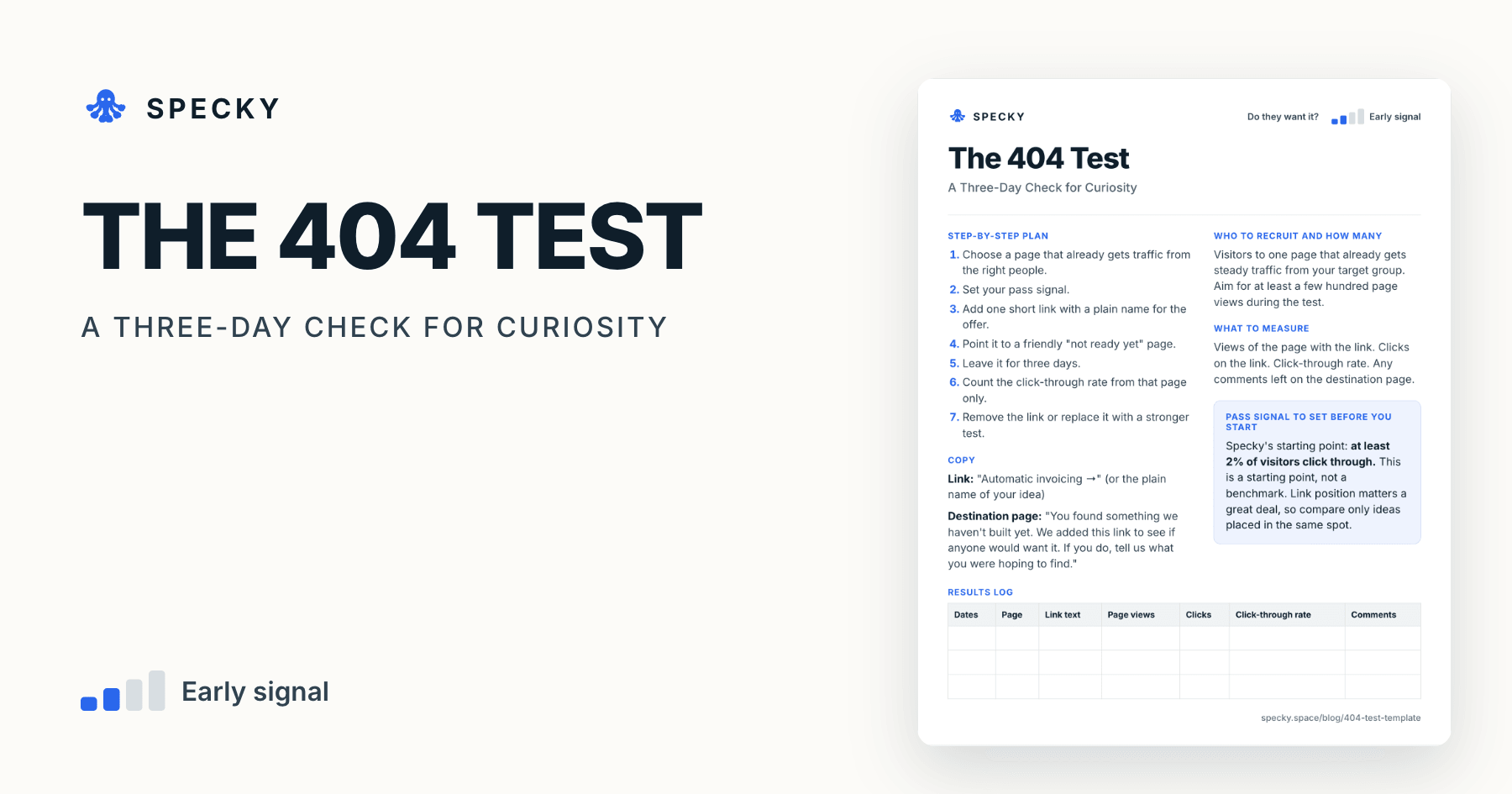
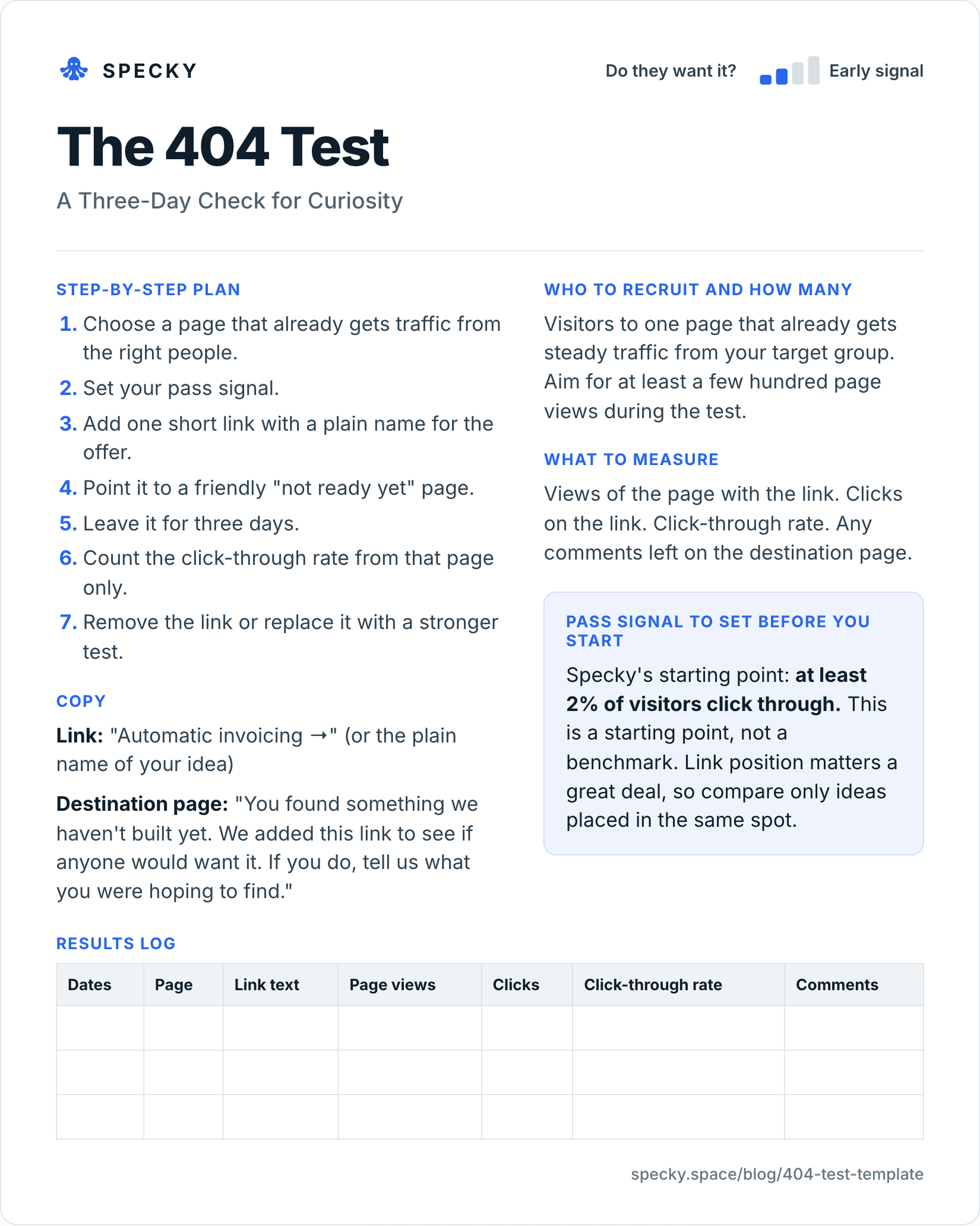
Open the image at full size, or copy the text version below.
Who to recruit and how many
Visitors to one page that already gets steady traffic from your target group. Aim for at least a few hundred page views during the test, and closer to 1,000 if you are comparing ideas whose results may be close.
How do you run a 404 test step by step?
Choose a page that already gets traffic from the right people.
Set your pass signal.
Add one short link with a plain name for the offer.
Point it to a friendly "not ready yet" page.
Leave it for three days.
Count the click-through rate from that page only.
Remove the link or replace it with a stronger test.
Copy
Link: "Automatic invoicing →" (or the plain name of your idea)
Destination page: "You found something we haven't built yet. We added this link to see if anyone would want it. If you do, tell us what you were hoping to find."
Keep the label plain. Nielsen's analysis of real browsing found people read at most 28% of the words on an average page, and 20% is more likely (NN/g, 2008). A clever label gets skipped; a plain one gets understood in a glance.
What should you measure?
Views of the page with the link. Clicks on the link. Click-through rate. Any comments left on the destination page.
If the host page runs Google Analytics 4 with enhanced measurement switched on, it records a page_view for every load and an outbound click event, with the link_url, each time someone follows a link to another domain (Google Analytics Help). Filter on your destination URL and divide clicks by page views.
Pass signal to set before you start
Specky's starting point: at least 2% of visitors click through. This is a starting point, not a benchmark. Link position matters a great deal, so compare only ideas placed in the same spot.
Results log
Dates
Page
Link text
Page views
Clicks
Click-through rate
Comments
How many page views does a 404 test need?
More than most people expect, because the rates are small. Here is the 95% range (a Wilson score interval, which we calculated) around a measured click-through rate of 2%:
Page views
Clicks at 2%
Plausible true rate (95%)
200
4
0.8% to 5.0%
300
6
0.9% to 4.3%
500
10
1.1% to 3.6%
1,000
20
1.3% to 3.1%
2,000
40
1.5% to 2.7%
Two rules follow. First, with a few hundred views, a 404 test can only separate big gaps, such as 1% against 3.5%; it cannot tell 2% from 2.5%. Second, set the end date before you start. Checking every few hours and stopping at the first good-looking number inflates false positives: in Evan Miller's example, the error rate rose from 5% to about 26.1% (Evan Miller, 2010).
Where should you place the link?
In the same spot for every idea you compare, and somewhere people actually look. NN/g's 2018 eyetracking study of 120 people found 57% of page-viewing time went above the fold and 74% to the first two screenfuls (NN/g, 2018). A link at the top of a popular article and one in the footer measure placement, not ideas. If you can, show the competing links to different visitors at the same time with a split, so that a busy Monday does not favour one idea.
Keep the destination page out of search results, so it does not pick up stray traffic or confuse anyone searching your brand. Google's documented method is a noindex robots meta tag or an X-Robots-Tag header; do not also block the page in robots.txt, or Google never sees the rule (Google Search Central).
Worked example (hypothetical)
This example is made up to show the method. A small team runs a blog and tool for podcasters, and has three ideas: transcripts, ad-sale help, and guest booking. Over nine days, they rotate one link at the same spot on their most-read article, three days each.
The transcripts link gets 1.2%. Ad-sale help gets 3.4%. Guest booking gets 1.9%. Six people on the ad-sale page leave a note, and four of them mention losing sponsors.
Only ad-sale help clears 2%. The team records that as the winner of this filter, and plans a fake door that describes a real offer to those same readers.
Checking the numbers. Each window had about 600 views: transcripts 7 clicks from 580 (95% range 0.6% to 2.5%), ad-sale help 21 from 620 (2.2% to 5.1%) and guest booking 11 from 590 (1.0% to 3.3%). Ad-sale help's whole range sits above the 2% line and barely overlaps the transcripts range, so the win holds. Guest booking cannot be ruled in or out at this volume. The four notes about lost sponsors matter as much as the rate: they name a problem the fake door can now describe in the readers' own words.
404 test vs fake door test vs link tracking
All three count clicks. They differ in how much the person knows and what you learn.
Ratings from Strategyzer's experiment library poster. Run the 404 test first when you have several ideas and one busy page; move the winner to a fake door.
Is it honest to link to something that doesn't exist?
Yes, if the destination tells the truth straight away, as the template copy does. Three more rules:
Never show a broken page or a fake loading screen. The visitor should know within one sentence that it is not built.
Do not collect anything you do not need. A comment box is enough; an email field is optional and should say what you will use it for.
Take the link down after the test. A link to nothing that stays up for months becomes a small, permanent broken promise.
Common mistakes
Showing an actual error. Your site looks broken and visitors leave.
Comparing links in different places. A link at the top will beat one in the footer every time.
Calling a click demand. This shows only that someone was curious.
Using a clever label. People should know what they are clicking on.
Leaving it up forever. Replace it with a real test after a few days.
Counting clicks from your own team. Exclude internal traffic, or a few curious colleagues will be most of your result.
How to run it in Specky
On the Assumptions page, click the note and choose Pick a test, then 404 test. Specky fills in the steps, the pass signal, and a three-day timeline.
Click Create validation page. Specky builds the honest "not ready yet" page and collects any responses.
Add the link to your own busy page. Specky cannot edit your website for you.
Click Start running. Specky counts arrivals on its page. To work out your click-through rate, you also need the views of your own page, from your analytics. Record the result.
A pass shows on the board as Early signal, not Supported, because following a link is directional.
What to do with each outcome
Supported (shows as Early signal): Describe a real offer and ask for a real step with a fake door.
Unclear: Too few views. Run it longer, or move it to a page that gets more of the right people.
Contradicted: Almost nobody clicked, even with plenty of chances. The label may be weak, so try one other wording. If it still fails, drop it. Any bet resting on this note now shows as Contradicted.
Frequently asked questions
What is a 404 test?
A 404 test adds a link to something that does not exist to a busy page and counts how many visitors follow it. It is one of the cheapest experiments in Testing Business Ideas, rated 1 out of 5 for cost, setup and run time, and it measures curiosity about an idea, not willingness to buy.
Should a 404 test show a real error page?
No. Send people to a friendly page that says it is not built yet and asks what they hoped to find. The original version counted real 404 errors, but an error page makes your site look broken. The friendly page counts the same clicks.
What is the difference between a 404 test and a fake door test?
A 404 test measures curiosity from a short link on a page people already read. A fake door test describes a real offer and asks for a next step, such as an email, so it gives stronger evidence. Run the 404 test to pick between ideas, then a fake door on the winner.
What is a good click-through rate for a 404 test?
There is no published benchmark, because the rate depends heavily on where the link sits. Specky's starting point is 2% of page visitors. Treat it as a line to set in advance, compare ideas only in the same spot, and check the range: at 500 views, a measured 2% could plausibly be 1.1% to 3.6%.
How long should a 404 test run?
About three days, or until you reach the number of page views you planned, whichever is later. Three days is enough on a page with a few hundred daily visitors. On a quieter page, run longer, and decide the end point before you start.