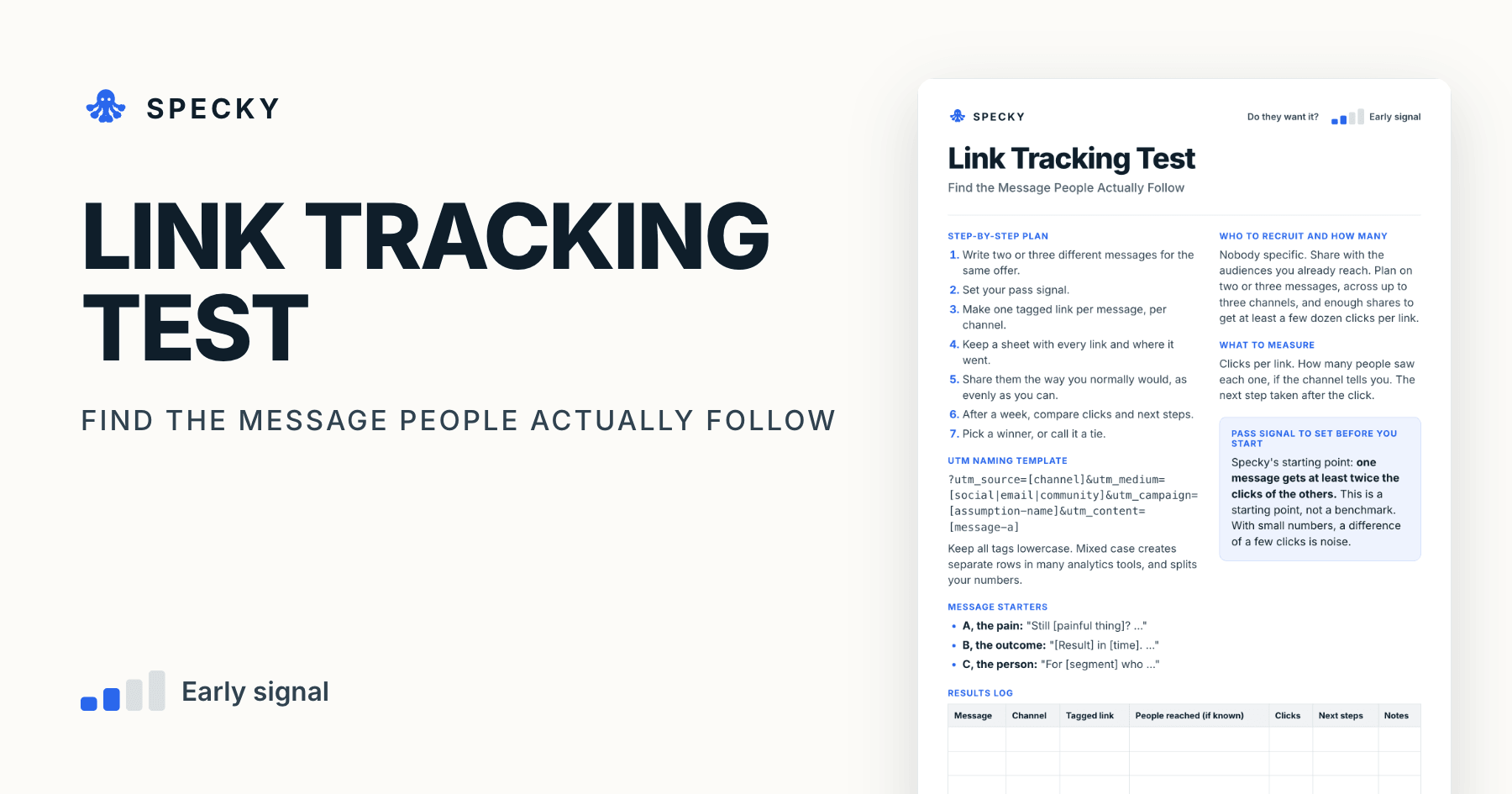
Link Tracking Test Template: Find the Message People Follow
End the headline debate. Give every message its own tagged link, share them evenly for a week, and let what people actually click settle it.
Share
A link tracking test gives every message and every channel its own tagged link, shares them as evenly as you can for about a week, then compares clicks and the next step people took. It settles positioning arguments with behaviour instead of opinion, and costs almost nothing, because it rides on the posts and emails you already send.
Key takeaways
Link tracking is one of the "interest discovery" experiments in David J. Bland and Alexander Osterwalder's Testing Business Ideas (Wiley, 2019), a library of 43 experiment types (Strategyzer).
Google Analytics documents nine UTM parameters and says to always use three: utm_source, utm_medium and utm_campaign. Values are case sensitive (Google Analytics Help).
A 2-to-1 split is not automatically a winner. With equal exposure, 10 clicks against 5 happens by chance about 30% of the time; a 2-to-1 split needs roughly 42 clicks in total (28 against 14) to clear the usual 5% significance bar.
Shared links fade within hours: Bitly measured average half-lives of 2.8 hours on Twitter and 3.2 hours on Facebook (Poynter, 2011).
Specky's starting pass signal: one message gets at least twice the clicks of the others.
What is a link tracking test?
It is a cheap way to compare messages and channels using links you would share anyway. Each version of your message points to the same page, but carries its own tags, so your analytics can tell them apart.
The method comes from the experiment library in Testing Business Ideas. A Universitat Politècnica de València (UPV) course built on the book lists it under "interest discovery" and describes it as "a unique hyperlink that can provide more detailed information about your value proposition" (UPV course slides). Its neighbours in that group are the online ad, the email campaign, the social media campaign, the feature stub, the 404 test and the referral program.
Which risk does it test, and how strong is the evidence?
This tests desirability: which way of describing this makes people act? The evidence is directional. Clicks are real, but the people clicking have only committed a second of attention, and you often cannot control who saw each link. Our guide to choosing a product experiment treats this as a way to choose a message for a stronger test.
When should you run a link tracking test, and when not?
Use it when your team is arguing about positioning, or which channel is worth the effort, and you are going to be sharing links anyway. It costs almost nothing because it fits into the posts and emails you already send.
Do not use it when:
You only share one link in one place. You need something to compare.
You want to know if the product is any good. It tells you which words earned a click, nothing more.
Exposure will be badly uneven. If one link is shown to far more people than another, the bigger audience wins, not the better message.
You expect fewer than a few dozen clicks per link. The difference will be noise (see the click table below).
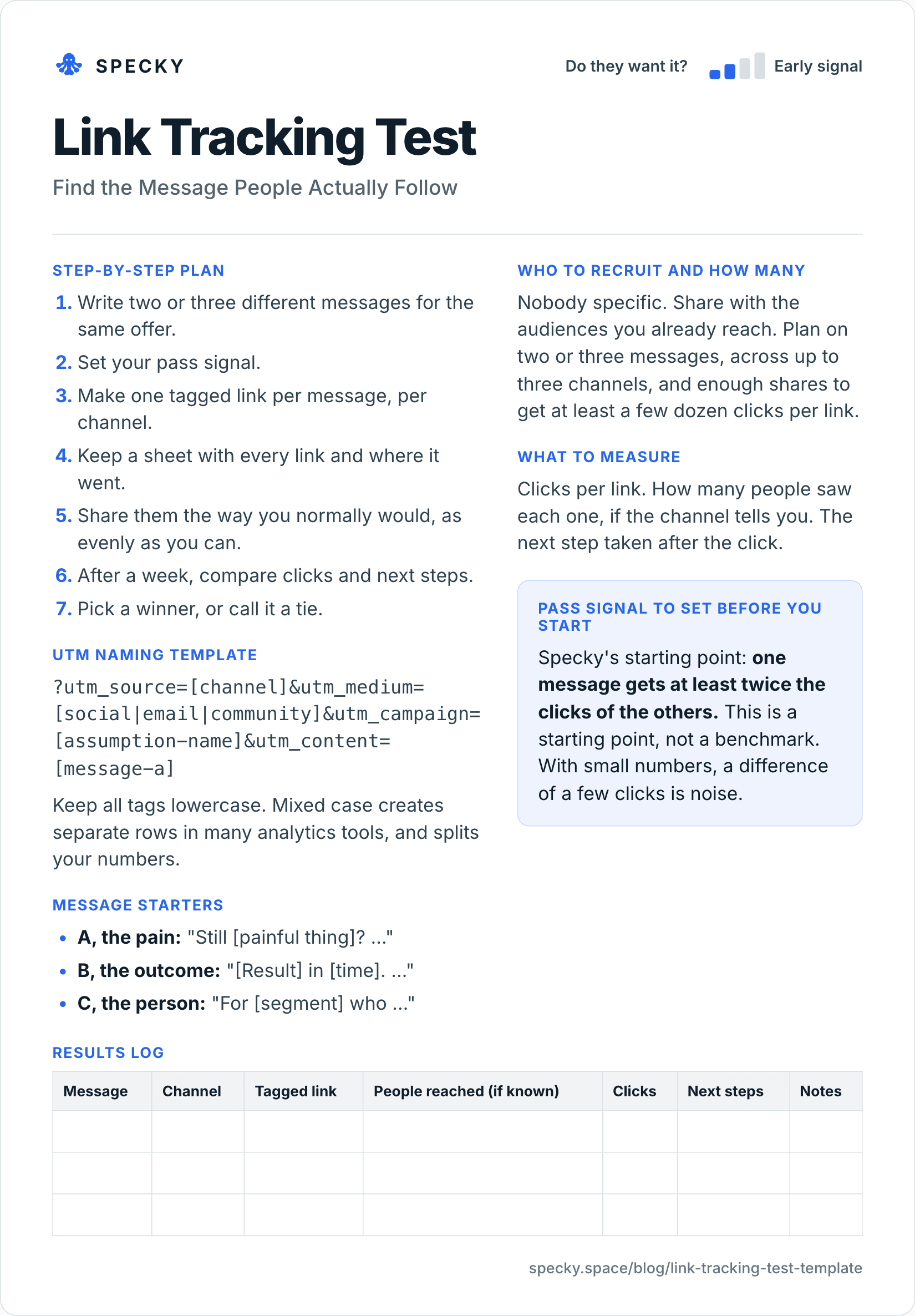
Copy-and-use link tracking test template
Open the image at full size, or copy the text version below.
Who to recruit and how many
Nobody specific. Share with the audiences you already reach. Plan on two or three messages, across up to three channels, and enough shares to get at least a few dozen clicks per link.
Step-by-step plan
Write two or three different messages for the same offer.
Set your pass signal.
Make one tagged link per message, per channel.
Keep a sheet with every link and where it went.
Share them the way you normally would, as evenly as you can.
Keep all tags lowercase. Mixed case creates separate rows in many analytics tools, and splits your numbers.
If you report in Google Analytics 4, check the medium. GA4 files a medium of email under Email and social under Organic Social, while a medium no rule recognises, such as community, can land in "Unassigned" (GA4 default channel group). The message comparison still works, because it reads utm_content, but channel reports will be cleaner with social or referral.
Message starters
A, the pain: "Still [painful thing]? …"
B, the outcome: "[Result] in [time]. …"
C, the person: "For [segment] who …"
What to measure
Clicks per link. How many people saw each one, if the channel tells you. The next step taken after the click.
Pass signal to set before you start
Specky's starting point: one message gets at least twice the clicks of the others. This is a starting point, not a benchmark. With small numbers, a difference of a few clicks is noise.
Results log
Message
Channel
Tagged link
People reached (if known)
Clicks
Next steps
Notes
Which UTM parameters should you use?
Google Analytics lists nine UTM parameters. A link tracking test needs four of them; the rest are optional.
Parameter
What Google says it is for
In a link tracking test
utm_source
The referrer, such as google or newsletter4
The channel: linkedin, newsletter-name
utm_medium
The marketing medium, such as cpc or email
social, email or referral
utm_campaign
Product, slogan or promo code
The assumption you are testing
utm_content
Telling creatives apart, such as two links in one email
The message: message-a, message-b
utm_id
A campaign ID
Optional
utm_term
Paid keyword
Only for search ads
utm_source_platform
The platform sending traffic
Optional
utm_creative_format
Type of creative
Not reported in Google Analytics
utm_marketing_tactic
Targeting criteria
Not reported in Google Analytics
Source: Google Analytics Help, URL builders. Google's own example of case sensitivity is that utm_source=google and utm_source=Google count as different values.
One privacy rule: never put a name or email address in a tag. Google Analytics forbids sending data it could recognise as personally identifiable, and names UTM campaign parameters as a place to keep it out (Google Analytics Help).
How many clicks do you need to pick a winner?
More than most teams expect. Assume two links had equal exposure. If the messages were equally good, each click would be a coin flip between them. The table shows how often chance alone produces a 2-to-1 split, using an exact two-sided binomial test (our calculation):
Clicks (A vs B)
Total clicks
Chance of a split this lopsided if the messages are equal
10 vs 5
15
about 30%
20 vs 10
30
about 10%
28 vs 14
42
about 4%
40 vs 20
60
about 1%
So the template's "twice the clicks" bar means something only once the two links have about 40 clicks between them. Below that, call it a tie or keep sharing.
Two more rules protect you from false winners:
Fix the end date before you start. Evan Miller showed that checking results repeatedly and stopping at the first "significant" moment raised the false positive rate from 5% to 26.1% in his example (Evan Miller, 2010).
Compare at most three messages. Every extra message splits the same clicks more thinly.
How do you keep exposure equal?
Unequal exposure is the most common way a link tracking test lies. A link pinned for a week will beat a link posted once.
Put every message in every channel. If message A goes to the newsletter and message B to LinkedIn, you are testing channels, not messages.
Post at comparable times. Shared links get most of their clicks within hours: Bitly measured average half-lives of 2.8 hours on Twitter, 3.2 hours on Facebook and 3.4 hours for direct sharing such as email (Poynter, 2011). A morning post and a midnight post are not a fair pair.
Record reach when the channel shows it. Clicks divided by people reached is fairer than raw clicks.
Alternate the order. Position in a newsletter can affect clicks, so swap the links in the next issue.
Worked example (hypothetical)
This example is made up to show the method. A team building a time-tracking tool for lawyers can't agree on a headline. They write two versions: "Stop losing billable hours" and "Timesheets that fill themselves in." Each goes out through two law-focused newsletters and one LinkedIn post.
"Stop losing billable hours" gets 74 clicks across channels. "Timesheets that fill themselves in" gets 31. Reach is similar, and the newsletters drive most of the difference.
One message got more than twice the clicks of the other, so the signal passes. They use the winning message on a landing page test, where visitors are asked to take a real step.
Checking the result. With 105 clicks in total, a 74-to-31 split would happen by chance far less than 1 time in 1,000 if the messages were equally good, so the pass is solid. An illustrative breakdown by channel shows where it came from:
Channel
"Stop losing billable hours"
"Timesheets that fill themselves in"
Newsletter 1
38
12
Newsletter 2
25
9
LinkedIn post
11
10
Total
74
31
On LinkedIn the two messages tie. The team writes that down: the loss-framed headline wins with newsletter readers, but they have no evidence it wins on LinkedIn. The landing page test will use newsletter traffic first.
Link tracking test vs split test vs online ad test
Which version of a page or feature performs better?
Does this message get cold strangers to act?
Who decides who sees what
You, by where you share
Random assignment by a testing tool
The ad platform
Cost
Close to free
Needs traffic and a testing tool
About €100
Main metric
Clicks per link, then next steps
Conversion rate per variant
Click-through and next-step rate
Weakness
Exposure is hard to equalise
Needs a lot of traffic
Platform decides delivery
Evidence
Directional
Strong, if properly sized
Directional
Run link tracking first to narrow three messages to one. A split test is the stronger tool once you have steady traffic to one page; see our guide to A/B testing from hypothesis to decision.
Common mistakes
Reusing one link across channels. Then you cannot tell what caused what.
Unequal exposure. A link pinned for a week will beat a link posted once.
Mixed-case tags. "LinkedIn" and "linkedin" become two sources.
Testing too many messages. With few clicks, three is plenty.
Declaring a winner too early. Clicks arrive in bursts.
Messages that barely differ. "Save time" against "Save hours" will not separate. Test different ideas, not synonyms.
How to run it in Specky
On the Assumptions page, click the note and choose Pick a test, then Link tracking. Specky fills in the steps, the pass signal, and a one-week timeline.
You make the links and share them. Specky does not post for you here.
Specky reads the numbers from connected analytics. If your links point to a Specky validation page, the page's analytics also break visits down by UTM tag. For any other destination, read the numbers from your connected analytics tool.
Click Start running, then attach the clicks per link as evidence and record the result.
A pass shows as Early signal on the board, not Supported, because clicks are directional.
What to do with each outcome
Supported (shows as Early signal): Use the winning message on a landing page or an online ad.
Unclear: The numbers are too close or too small. Share more widely, or write messages that differ more.
Contradicted: No message stands out, or none gets clicks at all. The offer may not be interesting yet. Do a few interviews to hear how people describe the problem. Any bet resting on this note now shows as Contradicted.
Frequently asked questions
What is a UTM link?
A UTM link is a normal web link with extra tags that tell your analytics where a click came from. Google Analytics reads parameters such as utm_source, utm_medium, utm_campaign and utm_content. Giving each message its own utm_content value lets you compare messages and channels while sending everyone to the same page.
How do you test which marketing message works best?
Give each message its own tagged link, share every message in every channel at comparable times, and compare clicks and next steps after about a week. Keep exposure as equal as you can, test no more than three messages, and fix the end date before you start so you are not tempted to stop at a lucky moment.
How many clicks do you need to pick a winning message?
For two messages with equal exposure, aim for about 40 clicks in total before trusting a 2-to-1 split. At 28 against 14, chance alone would produce a gap that size about 4% of the time; at 10 against 5, about 30% of the time. Fewer clicks than that is a tie.
Is a link tracking test the same as an A/B test?
No. In an A/B test, a tool randomly decides which visitor sees which version, so the groups are comparable. In a link tracking test, you decide where each link goes, so audiences can differ. That makes link tracking cheaper and faster but weaker. Use it to narrow options, then confirm with a split test or a landing page.
Do you need Google Analytics for a link tracking test?
No. Any analytics tool that reads UTM parameters works, and many link shorteners count clicks per link. What matters is one link per message per channel, a sheet that records where each went, and lowercase tags. Google's UTM documentation is a good naming reference whichever tool you use.