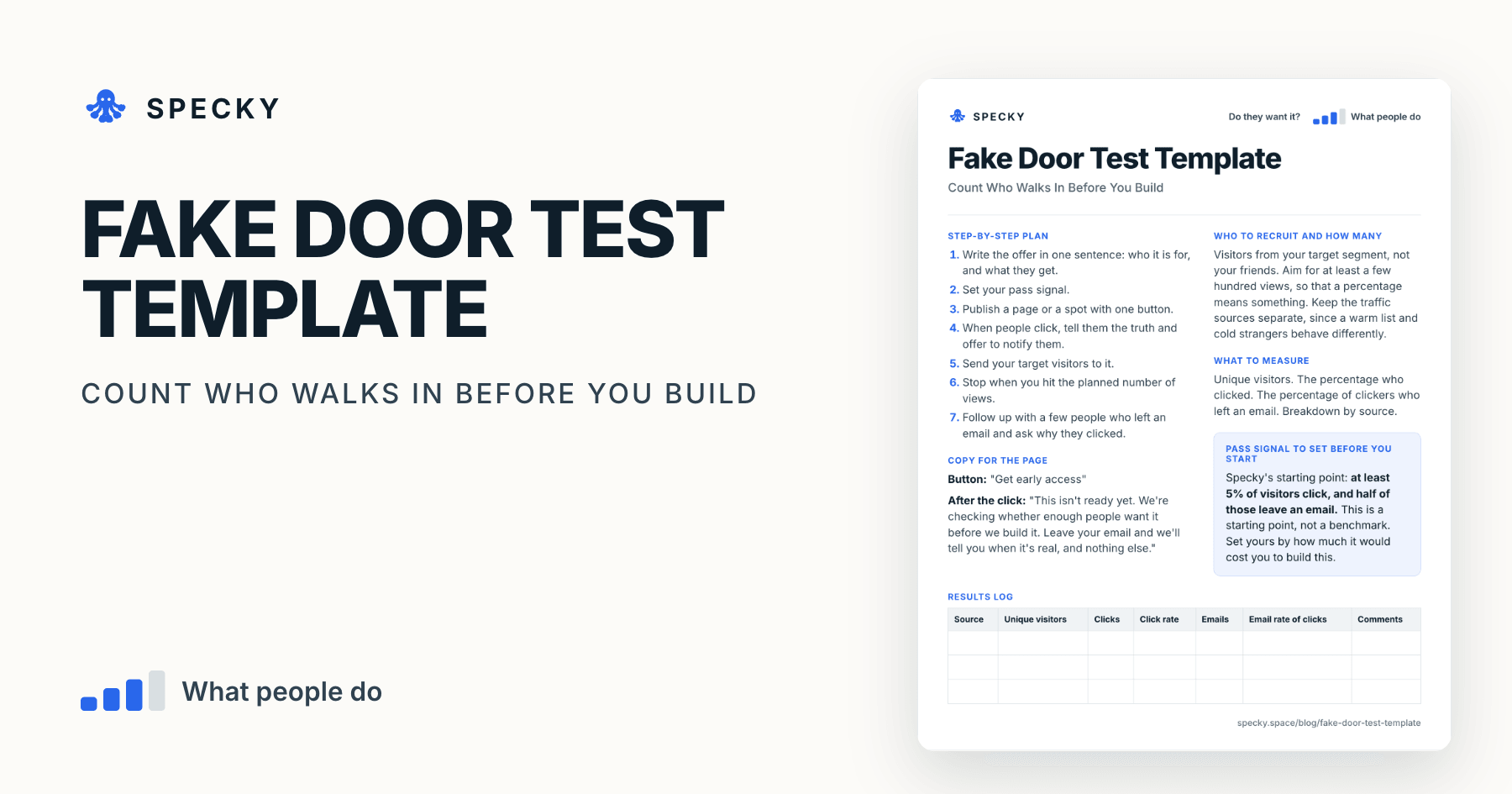
Fake Door Test Template: Count Who Walks In Before You Build
The most expensive way to learn nobody wants something is to build it. Offer it first, honestly, and count who tries to walk in.
Share
A fake door test offers a product or feature that does not exist yet, behind one clear button, and counts how many people try to walk through. Right after the click you tell them the truth and offer to let them know when it is real. It measures what people do, not what they say, before you spend weeks building.
Key takeaways
The fake door is one of Alberto Savoia's pretotyping techniques. Savoia, Google's first Engineering Director, developed pretotyping at Google in 2010 (pretotyping.org).
It is also called a painted door test or a smoke test. The method is the same: show the entry point, count who tries to use it (Optimizely).
Plan for at least 200 views for a directional read and 500 or more per variant if you compare offers (The Real Startup Book).
For scale: the median SaaS landing page in Unbounce's 2024 dataset converted 3.8% of visitors (Unbounce, 2024), for products that already exist.
This template's starting pass signal: at least 5% of visitors click, and half of those leave an email.
What is a fake door test?
Savoia's own quick reference defines the Fake Door as a way to test the "Initial Level of Interest" in a product that does not exist, by creating artifacts that suggest it does (Savoia, Stanford MS&E 277, 2016). His example: put McSpaghetti on a McDonald's menu without cooking any pasta, see who orders it, then apologise and offer them a free burger instead.
The reason to bother is Savoia's Law of Market Failure: "Most new ideas fail in the market—even if competently executed" (pretotyping.org). Usage data agrees: across 6,800 Pendo customers, 6.4 of every 100 features drive 80% of click volume (Pendo, 2024).
Is a fake door test the same as a smoke test or painted door test?
Mostly, yes. "Smoke test" usually means a fake landing page for strangers, and "painted door" a button inside an existing product. David J. Bland and Alex Osterwalder's Testing Business Ideas, a library of 44 experiment types, splits the family into the 404 test, the feature stub and the simple landing page (Strategyzer). Here, a fake door is a page or spot that names one offer and asks for one step.
Which risk does it test, and how strong is the evidence?
This tests desirability: when offered this, will people take the next step? The evidence is behaviour. They did something, and Strategyzer ranks behaviour above stated intentions and opinions (Strategyzer). It stops short of commitment, since a click costs nothing. See the full ladder in our guide to choosing a product experiment.
When should you use a fake door test?
Use it when you can describe an offer in one sentence and want to know if people will act on it. It suits new products and paid add-ons.
Do not use it when:
You cannot reach the right people. A test nobody sees teaches you nothing.
A surprise would break trust. Avoid health, money or other services people urgently rely on, and avoid essential flows in your own product.
You want to test current users mid-task. Use a feature stub, which lives inside the product.
You only want to know if anyone is curious. A 404 test is lighter: one link, three days.
The Real Startup Book puts the cost at about $0 to $600 and the run time at 4 days to 3 weeks, most of it waiting for traffic (Kromatic).
Copy-and-use fake door test template
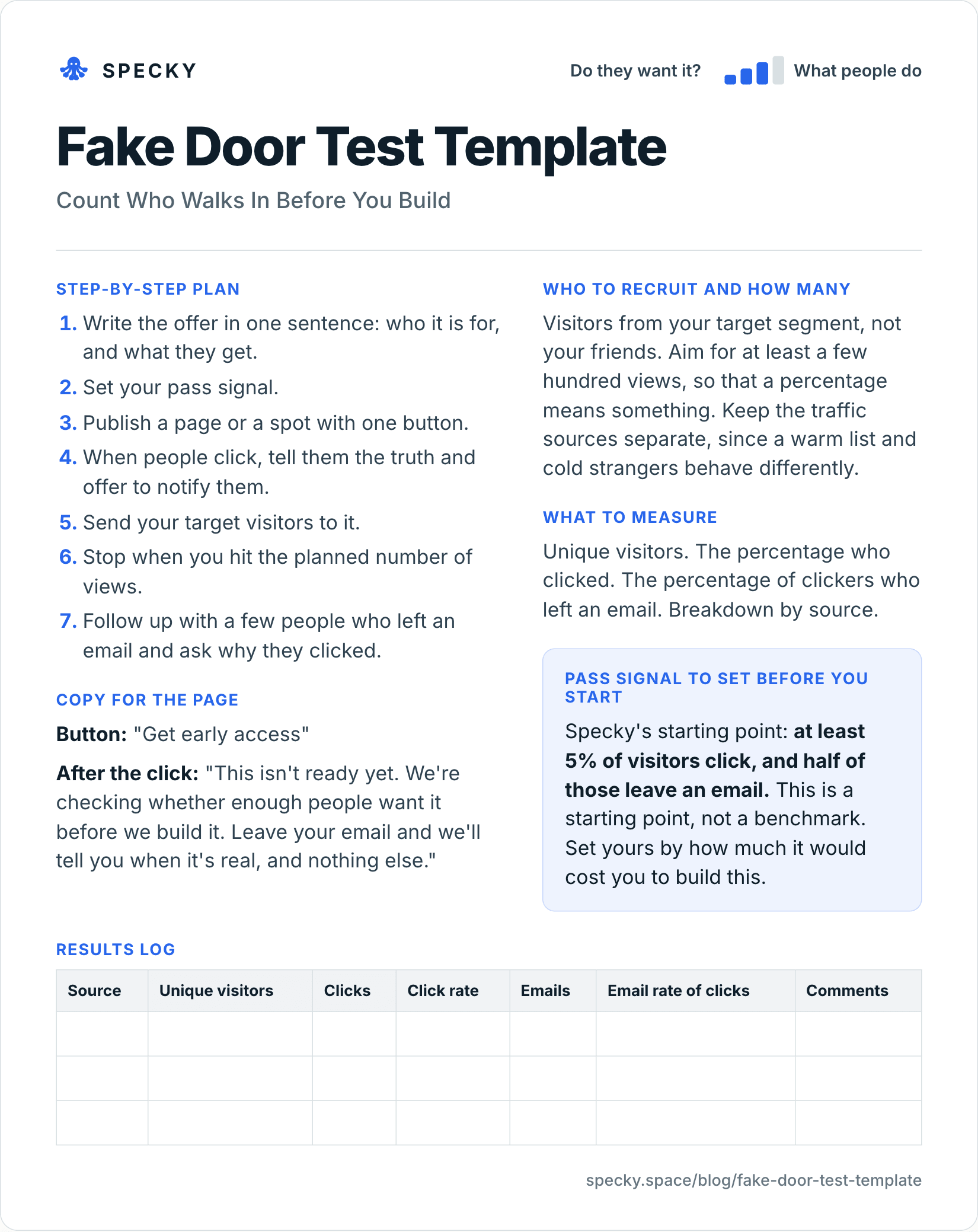
Open the image at full size, or copy the text version below.
Who to recruit and how many
Visitors from your target segment, not your friends. Aim for at least a few hundred views, so that a percentage means something. Keep the traffic sources separate, since a warm list and cold strangers behave differently.
How do you run a fake door test step by step?
Write the offer in one sentence: who it is for, and what they get.
Set your pass signal and the number of views at which you will stop.
Publish a page or a spot with one button.
When people click, tell them the truth and offer to notify them.
Send your target visitors to it, with each source tagged separately.
Stop when you hit the planned number of views.
Follow up with a few people who left an email and ask why they clicked.
Copy for the page
Button: "Get early access"
After the click: "This isn't ready yet. We're checking whether enough people want it before we build it. Leave your email and we'll tell you when it's real, and nothing else."
What should you measure?
Unique visitors. The percentage who clicked. The percentage of clickers who left an email. Breakdown by source. The email matters more than the click, because it costs the person something.
Pass signal to set before you start
Specky's starting point: at least 5% of visitors click, and half of those leave an email. This is a starting point, not a benchmark. Set yours by how much it would cost you to build this.
Results log
Source
Unique visitors
Clicks
Click rate
Emails
Email rate of clicks
Comments
How many visitors does a fake door test need?
Enough that the result could not easily have been a fluke. The Real Startup Book suggests 200 or more views for a directional signal and 500 or more per variant when comparing two offers (Kromatic). The table shows why. It gives the 95% range (a Wilson score interval, which we calculated) for a measured click rate of 5%:
Visitors
Clicks at 5%
Plausible true rate (95%)
100
5
2.2% to 11.2%
200
10
2.7% to 9.0%
300
15
3.1% to 8.1%
500
25
3.4% to 7.3%
1,000
50
3.8% to 6.5%
At 100 visitors, a 5% result cannot tell a pass from a fail. Decide your number before you start and stop there. In Evan Miller's example, checking after every visitor and stopping at the first "significant" result raised the false positive rate from 5% to about 26.1% (Evan Miller, 2010).
What is a good fake door test conversion rate?
No published benchmark exists for fake doors. The closest named dataset is Unbounce's 2024 Conversion Benchmark Report: 41,000 landing pages, 57 million conversions and 464 million visitors from July 2023 to July 2024 (PR Newswire, 2024).
These pages sell real products, so a new offer usually sits below them. Use them as a sanity check: a 5% click rate and a 50% email rate mean about 2.5% of visitors leave an address, under the SaaS median. Your own past pages, sent similar traffic, are a better yardstick.
Worked example (hypothetical)
This example is made up to show the method. A team running a scheduling tool for yoga studios wants to know if owners would want automated waitlists. They publish a page: "Fill cancelled classes automatically."
They send 410 visitors, from a studio owners' newsletter and a small ad. Thirty-one click, which is 7.6%. Twenty leave an email, which is 65% of clickers. The newsletter visitors convert at four times the rate of the ad visitors.
The pass signal is met. Before building, the team emails those 20 people and asks them how they handle cancellations today. Three agree to try a manual version.
Reading it more closely. The split was 190 newsletter visitors with 24 clicks (12.6%) and 220 ad visitors with 7 clicks (3.2%). The overall 7.6% has a 95% range of about 5.4% to 10.5%, so even the low end clears the 5% line; the pass is firm. The ad source alone, at 7 clicks, is too small to judge; cold traffic needs its own run. The three volunteers move to a concierge test, where someone fills the waitlists by hand. Savoia calls this a Facade: in his CarsDirect example, a "buy" button led to a person buying the car at retail and delivering it (Savoia, 2016).
Fake door test vs feature stub vs 404 test
All three show a door before the room exists. They differ in who sees it and how much they know when they click.
It is, if you are honest the moment someone clicks. Optimizely's own definition of the method says to make sure the door "does not mislead users into thinking it is fully functional" (Optimizely). Four rules keep it fair:
Reveal on the click. Say it is not ready, why you are asking, and offer to tell them when it exists. Never show an error.
Never take money for it. That turns a test into a false promise. To test willingness to pay, use a presale with refunds.
Collect only what you need. The GDPR requires personal data to be collected for a specified purpose, limited to what is necessary and kept no longer than needed (GDPR Article 5). An email and "we'll tell you when it's real" is enough. Delete the list if you drop the idea.
Close the loop. Email everyone when you decide, including if you won't build it.
Common mistakes
Not telling people it isn't ready. Tricking visitors costs you trust. Say so right after the click.
Counting only clicks. A curious click is cheap. The email is a stronger step.
Sending only friends. Your friends want you to win.
Mixing traffic sources. The average of warm and cold traffic describes neither.
Stopping as soon as it looks good. Decide your view count first and stick to it.
How to run it in Specky
On the Assumptions page, click the note and choose Pick a test, then Fake door. Specky fills in the steps, the pass signal, and a one-week timeline.
Click Create validation page. Specky drafts an honest page from your assumption. Edit the copy, then publish it at a shareable link.
Specky builds the page and collects the responses. It counts views, unique visitors, button clicks, form starts, and responses, with no account needed for visitors. You choose where to send the traffic.
Click Start running. When you reach your target, compare the numbers to your pass signal and record the result.
A pass shows on the board as Supported, because clicking and leaving an email is behavior. The note moves toward strong evidence, and any bet resting on it updates.
What to do with each outcome
Supported: Talk to the people who left an email, using our customer interview template to ask what they do today. Then deliver it by hand to a few of them with a concierge test.
Unclear: Numbers are near your line, or too few people saw it. Check your source mix, send more of the right visitors, or test a sharper headline with a split test.
Contradicted: People saw it and did not act. Before you give up, make sure it reached the right audience. If so, stop. Any bet resting on this note now shows as Contradicted.
Frequently asked questions
What is a fake door test?
A fake door test offers a product or feature that does not exist yet and counts how many people try to use it. After clicking, visitors are told it is not ready and invited to leave an email. It measures real interest through behaviour before anything is built, and is also called a painted door or smoke test.
Is a fake door test ethical?
A fake door test is ethical when you are honest right after the click. Tell people it is not ready, explain why you are asking, and offer to let them know when it exists. Never take payment, collect only an email, and write to everyone when you decide, including if you decide not to build it.
What is a good fake door conversion rate?
There is no universal good rate, since it depends on the audience and the offer. Specky's starting point is 5% of visitors clicking and half of those leaving an email. For context, Unbounce's 2024 data puts the median SaaS landing page at 3.8% and the all-industry median at 6.6%, for products that already exist.
How many visitors does a fake door test need?
Plan for at least 200 visitors for a directional read and 500 per variant if you compare offers. With 100 visitors, a measured 5% click rate could plausibly be anywhere from about 2% to 11%. Fix the number before you start and stop when you reach it.
Where does the fake door test come from?
The best-known source is Alberto Savoia's pretotyping, developed at Google in 2010, which lists the Fake Door among its techniques; his book is The Right It (2019). Testing Business Ideas covers the same idea through its 404 test, feature stub and simple landing page.